UP Varasat Status Check Online 2025 : Land and property matters are deeply personal, often intertwined with family history and emotional value. In Uttar Pradesh, the process of transferring land ownership from a deceased person to their legal heirs is known as Varasat (inheritance or succession). The Government of Uttar Pradesh has digitized this process through the Revenue Court Computerized Management System (RCCMS) at vaad.up.nic.in. This guide provides everything you need to know about how to do a Varasat status check online in UP, ensuring you can track your application efficiently and without hassle.
What is the UP Varasat Status Check Online?
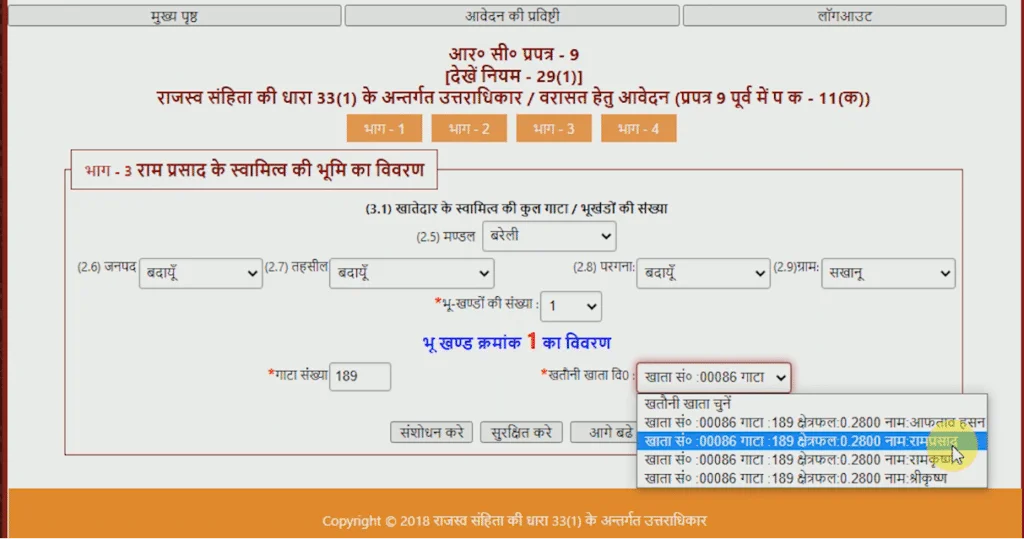
The UP Varasat status check online is a digital service provided by the Uttar Pradesh Revenue Department. It allows citizens to track the progress of their Varasat application (Form RC-9) submitted via the RCCMS portal. This system is a part of the state’s initiative to promote transparency and digitize land records, reducing the need for citizens to repeatedly visit tehsil offices. The process is designed to keep heirs informed about each stage of verification and approval, from the initial filing by the Lekhpal to the final order by the Revenue Inspector (RI) .
Why is Checking Varasat Status Online Important?
Regularly checking your Varasat status online helps you stay informed about potential delays. According to recent data, approximately 2.5 lakh revenue cases are pending in Uttar Pradesh, with over 58,000 of these being more than five years old . Monitoring your application ensures you can identify delays early and take corrective action. If your Varasat application is delayed, it can lead to problems such as disputes over property and difficulty accessing government schemes.
Step-by-Step Guide: How to Check Varasat Status Online
Tracking your application for Varasat status online is a simple process. Follow these steps to check the current status of your inheritance application :
Step 1: Visit the Official Portal
Open your browser and go to the official RCCMS UP portal: vaad.up.nic.in.
Step 2: Locate the Status Check Service
On the homepage, find and click on the “Vaad Khoj Vidhi” (Case Search Method) option. From the dropdown menu, select “Varasat Hetu Aavedan ki Sthiti Jane” (Know Varasat Application Status) .
Step 3: Enter Your Details
You will be prompted to enter your application number. This unique number is generated when you submit your Varasat application. Make sure you have it ready. Alternatively, you may need your registered mobile number to receive an OTP for verification.
Step 4: View Your Current Status
After submitting your details, the current status of your Varasat application will be displayed on the screen. This could show one of several stages, such as:
-
Pending: The application has been received and is awaiting processing.
-
With Lekhpal: The application is with the village accountant for field verification .
-
With Revenue Inspector: The application is under review by the RI.
-
Approved/Completed: The Varasat has been finalized, and names have been added to the Khatauni.
Understanding the Varasat Application Process
To effectively track your Varasat status online, it’s helpful to understand the workflow your application goes through after submission. This process typically takes 30 to 45 working days .
-
Application Submission: You file Form RC-9 online at vaad.up.nic.in. The application is then forwarded to the Lekhpal (patwari) of the concerned village .
-
Field Verification: The Lekhpal conducts a field verification to confirm the details of the deceased, the land, and the legal heirs. This report is crucial for the process.
-
Revenue Inspector Review: After the Lekhpal’s report, the Revenue Inspector (RI) reviews it. If everything is in order, the RI approves the application.
-
Final Order: The final order to add the heirs’ names to the Khatauni (land record) is issued. Once this is done, the new names will appear in the official land records on the upbhulekh.gov.in portal.
Image Prompt 1: Step-by-Step Varasat Status Check – An infographic illustrating the process of checking Varasat status on a smartphone and laptop.
What to Do If Your Varasat Application is Stalled
Sometimes, an application can get stuck for various reasons, such as incomplete documentation, a pending Lekhpal report, or a family objection . If you find your Varasat status online has not progressed for a long time, you have several options:
-
Contact the Lekhpal or Revenue Inspector: The first and most straightforward step is to directly contact the official responsible for your case to understand the reason for the delay.
-
File an RTI: If you’re not getting a satisfactory response, you can file an RTI application with the Tehsildar (Public Information Officer). An RTI can compel the office to disclose the exact status of the case, the pending step, and the reason for the delay, all in writing within 30 days .
-
Use the CM Helpline: You can also call the 1076 Mukhyamantri Helpline to register a complaint regarding the delay .
Essential Tips for a Smooth Varasat Application
To minimize the chances of your application getting delayed, keep these points in mind:
-
Ensure Correct Details: Double-check all information in Form RC-9, including names, addresses, and plot details (Gata number).
-
Keep Your Documents Ready: Have the death certificate, Aadhaar cards of all heirs, and the existing Khatauni ready .
-
Link Mobile Number: Ensure your mobile number is linked to your Aadhaar card for OTP-based verification .
-
Check Status Regularly: Make it a habit to check your Varasat status online every 10-15 days, as additional documents might be requested .
-
Respond to Notices Promptly: If you receive any notice for an objection or document submission, respond immediately to avoid your application being put on hold.
Frequently Asked Questions (FAQs)
1. What is the full form of RCCMS in the UP Varasat portal?
RCCMS stands for Revenue Court Computerized Management System. It is the official portal (vaad.up.nic.in) for managing revenue cases, including Varasat applications .
2. Is there any fee for checking Varasat status online?
No, the Varasat status check online service is completely free of charge. The Government of Uttar Pradesh provides this service as a public initiative .
3. My Varasat status shows ‘Pending,’ but it’s been 45 days. What should I do?
If your application has been pending for more than 45 days, you should first contact your village Lekhpal or the Revenue Inspector. If that doesn’t help, you can escalate the issue by contacting the 1076 Mukhyamantri Helpline or filing an RTI to get a written status update .
4. Can a married daughter apply for Varasat in UP?
Yes, under the Hindu Succession (Amendment) Act, 2005, a daughter has equal rights to her father’s property, regardless of her marital status . Her name must be included in the Varasat application.
5. What is the difference between ‘Varasat’ and ‘Khatauni’?
Varasat is the process of transferring ownership of a deceased person’s land to his/her legal heirs. Khatauni is the official land record document that lists the names of the current owners and the land they hold.
6. Where can I see my updated Khatauni after Varasat is approved?
Once the Varasat process is complete and the order is issued, the new Khatauni with the heirs’ names will be updated on the UP Bhulekh portal at upbhulekh.gov.in .
Conclusion
The UP Varasat status check online system is a powerful tool that brings transparency and convenience to the inheritance process. By utilizing the official RCCMS portal at vaad.up.nic.in, citizens can avoid the frustration of long queues and opaque bureaucratic processes. Regularly monitoring the status ensures that you are always aware of your application’s progress and can intervene if it gets delayed. This digital initiative by the Uttar Pradesh government is a significant step towards making land administration more efficient and citizen-centric.