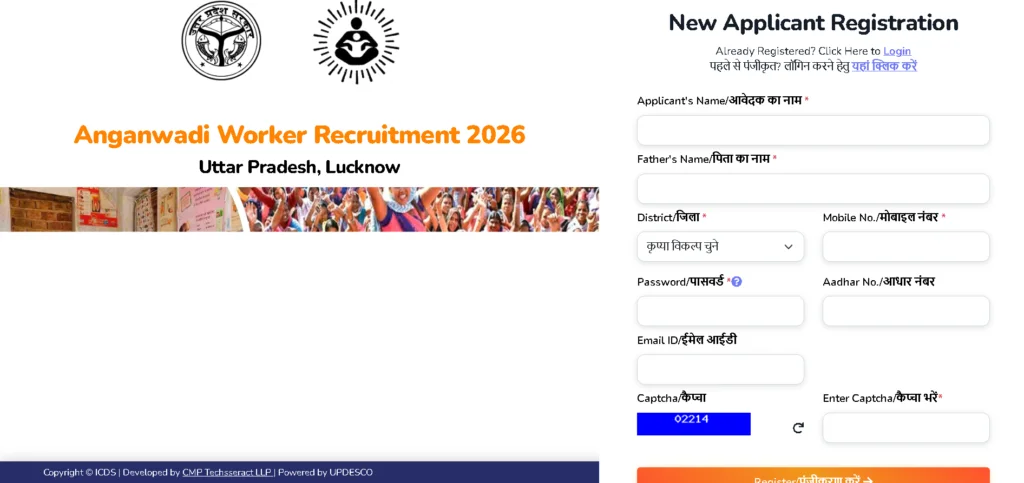
Why Your UP Anganwadi Application Status Matters
If you’ve applied for an Anganwadi Worker or Helper position in Uttar Pradesh, you’re probably checking your phone every few hours, wondering, “Has my application been approved? Will I get selected?” You’re not alone. Thousands of women across Uttar Pradesh have submitted their applications for these prestigious community-level government positions, and the wait can feel endless.
The good news? The Uttar Pradesh government has made it remarkably easy to check your UP Anganwadi application status online. No more making trips to the district office or standing in long queues. With just your Application ID or Aadhaar number, you can see exactly where your application stands in the selection process.
This comprehensive guide will walk you through everything you need to know about checking your UP Anganwadi application status. Whether you applied through the official UP Anganwadi Bharti portal or need to verify your acknowledgement, we’ve got you covered with step-by-step instructions, troubleshooting tips, and answers to your most pressing questions.
By the end of this article, you’ll know exactly how to track your application, understand what each status means, and what to do if you encounter any issues. Let’s dive in.
Understanding UP Anganwadi Recruitment 2026: A Quick Overview
Before we get into the nitty-gritty of status checking, let’s briefly understand what this recruitment drive is all about.
The Uttar Pradesh government, through the Department of Women and Child Development, has been conducting massive recruitment drives for Anganwadi Workers (Karyakatri) and Anganwadi Helpers (Sahayika) across various districts. These positions fall under the Integrated Child Development Services (ICDS) scheme, which is one of India’s most important community welfare programs.
What Are Anganwadi Positions?
Anganwadi Workers and Helpers play a crucial role in India’s fight against malnutrition and in providing early childhood care and education. Here’s what each position entails:
Anganwadi Worker (Karyakatri):
-
Runs the Anganwadi Centre
-
Provides preschool education to children
-
Supports nutrition services and supplementary feeding
-
Maintains records and identifies beneficiaries
-
Conducts home visits and supports immunization activities
-
Coordinates with health workers and ASHA workers
Anganwadi Helper (Sahayika):
-
Assists the Anganwadi Worker
-
Cleans and maintains the Anganwadi Centre
-
Helps prepare and distribute supplementary nutrition
-
Supports preschool activities
-
Assists with daily centre operations
Recent Recruitment Highlights
The 2026 recruitment cycle has been particularly significant. Reports indicate that over 60,000 positions were announced across various districts in Uttar Pradesh. Major recruitment drives were conducted in districts including:
-
Agra, Mathura, and Sambhal
-
Auraiya, Shravasti, and Chandauli
-
Gonda, Jalaun, and Gautam Buddha Nagar
-
Bareilly, Kannauj, and Shahjahanpur
-
Gorakhpur, Hathras, and Amethi
Applications were accepted online through the official portal, with selection based primarily on merit (academic qualifications) rather than written examinations.
The Official Portal: Where to Check Your Application Status
Primary Website for Status Checking
The primary portal for checking your UP Anganwadi application status is:
https://mis.tgwdcw.in/Application_Status.aspx
This official government portal allows applicants to check the current status of their submitted applications using either their Application ID or Aadhaar number.
Alternative Access Points
Depending on which recruitment cycle you applied for, you might also check your status through:
-
Official UP Anganwadi Bharti Portal: upanganwadibharti.in
-
e-Bharti Portal: aww.e-bharti.in (for those who applied through the e-Bharti system)
Understanding the Portal Interface
The Application Status page on the official portal is straightforward. When you visit the page, you’ll see:
-
Select Applied Post: A dropdown menu to choose the position you applied for (Anganwadi Worker or Helper)
-
AND/OR Options: You can search using either:
-
Application ID
-
Aadhaar Number
-
-
Download Acknowledgement: A section to download your application acknowledgement
This dual-search functionality is incredibly helpful because it means you’re not stuck if you’ve forgotten your Application ID. Your Aadhaar number serves as a reliable backup.
Step-by-Step Guide: How to Check UP Anganwadi Application Status Online
Now let’s get to the heart of the matter. Here’s exactly how to check your application status:
Method 1: Using Your Application ID
Step 1: Visit the official status check portal at https://mis.tgwdcw.in/Application_Status.aspx
Step 2: From the “Select Applied Post” dropdown menu, choose the position you applied for (Anganwadi Worker or Anganwadi Helper).
Step 3: In the “Application ID” field, enter your unique application ID. This is the number you received when you successfully submitted your application.
Step 4: Click on the “Submit” or “Check Status” button.
Step 5: Your application status will be displayed on the screen, showing:
-
Your name
-
Post applied for
-
Applied center
-
Project details
-
Current application status
Step 6: You can also download your acknowledgement from this page for future reference.
Method 2: Using Your Aadhaar Number
Step 1: Visit the same portal: https://mis.tgwdcw.in/Application_Status.aspx
Step 2: Select the post you applied for from the dropdown menu.
Step 3: Instead of Application ID, enter your Aadhaar number in the designated field.
Step 4: Click “Submit” to view your status.
Step 5: The system will display all applications linked to your Aadhaar number, including their current statuses.
Method 3: Through the e-Bharti Portal (If Applicable)
For those who applied through the e-Bharti system:
Step 1: Visit https://aww.e-bharti.in/
Step 2: Click on the “Login” option.
Step 3: Enter your registered mobile number and captcha code.
Step 4: You’ll receive an OTP on your registered mobile number.
Step 5: Enter the OTP to log in.
Step 6: Once logged in, you’ll be redirected to your Candidate Dashboard, which displays:
-
Total applications
-
Incomplete applications
-
Approved applications
-
Detailed status of each application
Step 7: Click on the “View” option next to any application to see complete details.
What Each Application Status Means
When you check your application status, you’ll likely see one of several status indicators. Understanding what each means is crucial:
“Under Review” or “Pending”
What it means: Your application has been received but is still being processed. The verification team is checking your documents and eligibility.
What to do: Be patient. This status can take 2-4 weeks depending on the volume of applications. Check back every few days.
Typical duration: 7-21 days
“Approved” or “Accepted”
What it means: Congratulations! Your application has been verified and accepted. You meet all the eligibility criteria.
What to do: Wait for further instructions regarding merit list publication or document verification. Ensure your contact information is up to date.
Next steps: Watch for merit list announcements or counseling schedules.
“Incomplete” or “Pending Submission”
What it means: Your application was started but not fully submitted, or some information is missing.
What to do: Log back into the portal and complete the pending sections. You may need to re-upload documents or fill in missing details.
Important: Don’t delay – incomplete applications may be rejected if not completed by the deadline.
“Rejected”
What it means: Your application has been rejected. This could be due to:
-
Not meeting eligibility criteria (age, education, residency)
-
Incorrect or incomplete documents
-
Late submission
-
Duplicate applications
What to do: Check if the portal provides a rejection reason. If you believe it’s an error, contact the district office or helpline immediately.
“Selected” or “Shortlisted”
What it means: You’ve made it through! Your application has been selected based on merit.
What to do: Prepare for document verification. Keep all original documents ready (education certificates, Aadhaar, residency proof, etc.).
“Waitlisted”
What it means: You’re on the waiting list. If selected candidates don’t complete verification or drop out, you may be considered.
What to do: Keep your documents ready and monitor the portal regularly for updates.
Common Issues and Troubleshooting
Even with the best systems, problems can arise. Here are common issues applicants face and how to resolve them:
Issue 1: “Application Not Found” Error
Possible causes:
-
Incorrect Application ID or Aadhaar number
-
Application not yet processed in the system
-
Technical glitch
Solutions:
-
Double-check your Application ID and Aadhaar number for typos
-
Wait 24-48 hours and try again
-
Try the alternate search method (use Aadhaar if ID search fails, or vice versa)
-
Clear your browser cache and cookies, then retry
Issue 2: Forgot Application ID
Solutions:
-
Use the Aadhaar number search option instead
-
Check your email or SMS for the original acknowledgement message
-
If you applied through e-Bharti, log in with your registered mobile number to view your applications
-
Contact the district Child Development Project Office for assistance
Issue 3: Status Stuck on “Under Review” for Weeks
Possible causes:
-
High volume of applications
-
Document verification backlog
-
Missing information in your application
Solutions:
-
Be patient – processing can take time during peak recruitment periods
-
Visit your local Anganwadi Centre or CDPO office to inquire in person
-
Ensure your contact number and email are correct, in case they need to reach you
Issue 4: Technical Errors on the Portal
Solutions:
-
Try accessing the portal during off-peak hours (early morning or late night)
-
Use a different browser (Chrome, Firefox, Edge)
-
Try on a different device (mobile vs. desktop)
-
Ensure you have a stable internet connection
-
Disable browser extensions that might interfere
Issue 5: Cannot Download Acknowledgement
Solutions:
-
Check if pop-ups are blocked in your browser
-
Try a different PDF reader or download the file and open it separately
-
If the link is broken, take a screenshot of your status page as temporary proof
-
Contact technical support through the portal’s help section
Important Dates and Deadlines to Remember
Staying on top of deadlines is crucial. Here are key dates to track:
Application Deadlines (By District)
District application deadlines vary significantly across Uttar Pradesh. Based on recent recruitment cycles:
| District | Position | Last Date |
|---|---|---|
| Gonda | Worker | 02 October 2026 |
| Jalaun | Worker/Helper | 30 September 2026 |
| Bareilly | Helper | 29 September 2026 |
| Gautam Buddha Nagar | Worker/Helper | 28 September 2026 |
| Kannauj | Helper | 28 September 2026 |
| Amethi | Worker | 01 October 2026 |
| Gorakhpur | Worker | 05 October 2026 |
| Shahjahanpur | Helper | 08 October 2026 |
| Hathras | Worker | 13 October 2026 |
Post-Application Timeline
After submitting your application:
-
Application Processing: 7-21 days typically
-
Merit List Publication: Usually 1-2 months after application deadline
-
Document Verification: Scheduled after merit list publication
-
Final Selection: After successful document verification
Key Takeaways
-
✅ Check your application status regularly using Application ID or Aadhaar number
-
✅ Understand what each status means to know your next steps
-
✅ Keep your documents ready for verification
-
✅ Don’t panic if status shows “Under Review” – this is normal processing
-
✅ Contact the district office if you face persistent issues
Eligibility Criteria: Did You Qualify?
Understanding the eligibility criteria helps you interpret your application status better. If your application was rejected, checking against these criteria can help you understand why.
Educational Qualification
| Position | Minimum Qualification |
|---|---|
| Anganwadi Worker | 12th Pass (Intermediate) |
| Anganwadi Helper | 10th/12th Pass (varies by district) |
Maximum qualification considered for merit: Post-Graduation
Age Limit
-
Minimum Age: 18 years (as on 1st January 2026)
-
Maximum Age: 35 years
-
Age Relaxation: As per government rules for reserved categories
Residency Requirement
This is crucial: You must be a permanent resident of the ward (urban) or Gram Sabha (rural) for which you applied. Women from other areas are not eligible for that specific ward/Gram Sabha vacancy.
Other Requirements
-
Indian nationality
-
Good behavior and character
-
Physically and mentally healthy
-
Employment registration (where applicable)
Special Preferences
Some recruitments give preference to:
-
Widowed women
-
Divorced women
-
Women below poverty line
The Selection Process: What Happens After You Apply
Understanding the full selection process helps you know what to expect after checking your status.
Step 1: Online Application Submission
You submitted your application through the official portal with all required documents.
Step 2: Application Scrutiny
The department reviews applications to verify:
-
Eligibility criteria (age, education, residency)
-
Document authenticity
-
Completeness of information
Step 3: Merit List Preparation
Unlike many government jobs, Anganwadi recruitment in UP typically does not involve written examinations. Selection is based on:
-
Academic Merit: Marks obtained in 12th, graduation, or post-graduation
-
Special Preferences: As per government rules
Step 4: Merit List Publication
The district-wise merit list is published on the official portal. Candidates can check their ranking and selection status.
Step 5: Document Verification
Selected candidates are called for document verification. Original documents must be presented:
-
Educational certificates
-
Aadhaar card
-
Residency proof
-
Caste certificate (if applicable)
-
Medical certificate
-
Employment registration
Step 6: Final Selection and Joining
After successful document verification, final selection letters are issued, and candidates join their assigned Anganwadi Centres.
Salary and Benefits: What You Can Expect
Understanding the compensation helps you appreciate the value of these positions.
Current Salary Structure (UP)
| Position | Fixed Salary | PLI/Incentive | Total Potential |
|---|---|---|---|
| Anganwadi Worker | ₹8,000 | ₹4,000 | ₹12,000 |
| Anganwadi Helper | ₹4,000 | ₹2,000 | ₹6,000 |
Performance-Linked Incentives (PLI)
The UP government has introduced performance-based incentives. To receive the full PLI, Anganwadi Workers must:
-
Achieve 100% accurate supplementary nutrition distribution
-
Complete 100% data feeding on the Poshan Tracker app
-
Maintain 80%+ measuring efficiency
Additional Benefits
-
Cashless medical treatment up to ₹5 lakh
-
Smartphones provided for digital reporting
-
Job security and community respect
Pro Tips for Applicants: Making the Most of Your Application
1. Keep Your Documents Ready
Whether your status shows “Under Review” or “Approved,” having your documents organized will speed up any verification process:
-
Original and photocopies of educational certificates
-
Aadhaar card (ensure it’s linked to your mobile number)
-
Residency proof (ration card, voter ID, etc.)
-
Caste certificate (if applicable)
-
Recent passport-size photographs
2. Monitor the Portal Regularly
Check your application status at least once a week. Status changes can happen suddenly, and you don’t want to miss important updates.
3. Keep Your Contact Information Updated
Ensure the mobile number and email you registered are active. The department may send important notifications via SMS or email.
4. Network with Other Applicants
Join online communities or local groups of Anganwadi applicants. Sharing information about status updates, merit list releases, and verification schedules can be incredibly helpful.
5. Understand the Local Context
Anganwadi recruitment is heavily district-specific. What applies to one district may not apply to another. Always verify information with official district sources.
Frequently Asked Questions (FAQs)
Q1: Can I check my UP Anganwadi application status without an Application ID?
Yes! You can use your Aadhaar number as an alternative. Simply select your applied post and enter your Aadhaar number on the status check portal.
Q2: How long does it take for the application status to update?
Typically, status updates take 7-21 days after submission. However, during peak recruitment periods, this can extend to 4-6 weeks.
Q3: What should I do if my status shows “Rejected”?
First, check if the portal provides a rejection reason. If you believe it’s an error, contact your district Child Development Project Office immediately with supporting documents.
Q4: Is there a written exam for UP Anganwadi recruitment?
No. Selection is based on academic merit and document verification. There is typically no written examination or interview.
Q5: Can I apply for multiple districts?
Generally, you must be a resident of the district/ward/Gram Sabha you’re applying for. Applying for multiple districts is usually not permitted unless you meet residency requirements for each.
Q6: What is the merit list, and when is it published?
The merit list ranks candidates based on their academic qualifications. It’s typically published 1-2 months after the application deadline on the official portal.
Q7: How can I download my acknowledgement?
On the status check portal, once you’ve entered your Application ID or Aadhaar number, you’ll see an option to “Download Acknowledgement.” Click it to save a PDF copy.
Q8: What if I forget my Application ID?
Use the Aadhaar number search option. You can also contact the district office or check your email/SMS for the original acknowledgement.
Q9: Are there any fees for checking application status?
No. Checking your application status is completely free on all official portals.
Q10: What documents are required for document verification?
Typically: educational certificates, Aadhaar card, residency proof, caste certificate (if applicable), medical certificate, and employment registration.
Conclusion: Stay Informed, Stay Prepared
Checking your UP Anganwadi application status doesn’t have to be stressful. With the official portal at https://mis.tgwdcw.in/Application_Status.aspx, you have direct access to real-time information about your application.
The key takeaways are:
-
Use the official portal – It’s the most reliable source for status updates
-
Try both search methods – Application ID and Aadhaar number both work
-
Understand the status meanings – Know what each status indicates
-
Be patient – Processing takes time, especially during peak recruitment
-
Stay prepared – Keep your documents ready for verification
-
Monitor regularly – Check your status weekly for updates
The Anganwadi program is more than just a job – it’s an opportunity to serve your community, support child development, and contribute to India’s nutrition mission. If you’ve applied, you’ve already taken a brave step toward meaningful community service.
Whether your status currently shows “Under Review,” “Approved,” or something else, stay hopeful and stay informed. Thousands of women like you are part of this journey, and every application represents a dream of serving the community while building a stable career.
Remember: The information in this guide is based on official sources and recent recruitment data. Always verify critical information with the official UP Anganwadi Bharti portal or your district Child Development Project Office.