

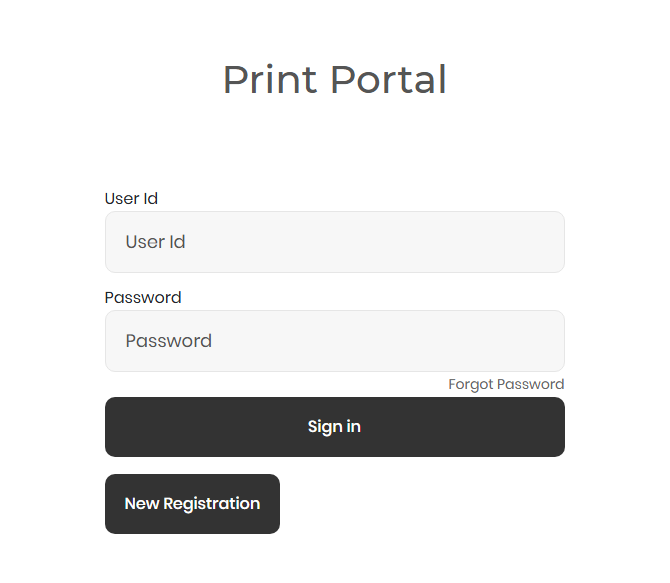
Print Portal Guide : In an era defined by cloud computing and seamless digital workflows, the humble printer has often been the stubborn outlier—a source of frustration, hidden costs, and workflow bottlenecks. Enter the print portal, a transformative technology that is redefining how businesses, educational institutions, and individuals manage their printing needs. But what exactly is a print portal, and why has it become a critical component of modern IT infrastructure?
A print portal is a centralized, web-based platform or software solution that manages, monitors, and controls printing activities across a network. It acts as a bridge between users and printers, providing a unified interface to submit print jobs, manage queues, select printers, apply rules, and track usage—all while enforcing security protocols and cost-control measures. From large corporations printing thousands of pages daily to a university student submitting a thesis, print portals are making printing smarter, more efficient, and significantly more sustainable.
This comprehensive guide will delve deep into the world of print portals. We’ll explore their core functionalities, undeniable benefits, various types, implementation strategies, and future trends. Whether you’re an IT manager seeking to reduce costs, a business owner aiming to enhance security, or simply someone curious about this trending technology, this article is your definitive resource.
Chapter 1: Understanding the Print Portal – More Than Just a Virtual Queue
What is a Print Portal? A Core Definition
At its simplest, a print portal is the digital gateway to your organization’s printing ecosystem. Think of it as an “app store” for your printing needs. Instead of installing drivers for every printer on the network and manually selecting devices, users log into a single, intuitive web interface or desktop application. From this dashboard, they can:
-
Discover Available Printers: See all authorized printers, plotter, or multifunction devices (MFDs) on the network, often with location details (e.g., “Second Floor Copier,” “Marketing Department Printer”).
-
Submit and Manage Jobs: Upload documents (PDF, Word, Excel, etc.), set parameters (color vs. black & white, duplex, stapling), and send them to a virtual print queue.
-
Secure Release: Initiate the actual printing only when physically present at the printer via authentication (ID card, PIN, biometrics).
-
Monitor and Track: View personal or departmental printing history, costs, and environmental impact (e.g., paper and carbon savings).
The Evolution: From Network Printing to Intelligent Print Management
The journey to the modern print portal is a story of solving persistent pain points:
-
The Era of Direct Connections: Each computer was directly tied to one printer via a parallel port. Sharing was impossible.
-
Basic Network Printing: Printers connected to the network allowed multiple users to access them, but driver chaos, lack of queue management, and “print and forget” waste became rampant.
-
The Rise of Print Servers: Dedicated servers managed queues and drivers, improving reliability but offering little user control or cost insight.
-
The Modern Print Portal: Cloud-based or on-premise software solutions that provide user-centric control, detailed analytics, robust security, and integration with existing identity systems (like Active Directory).
The key differentiator is intelligence. Today’s print portals don’t just route jobs; they apply policies (e.g., “All internal drafts must be printed in duplex B&W”), provide real-time cost allocation, and prevent unauthorized access.
Chapter 2: The Compelling Benefits of Implementing a Print Portal
Why are organizations worldwide rapidly adopting print portal solutions? The benefits span financial, operational, environmental, and security domains.
1. Significant Cost Reduction and Transparency
This is often the primary driver. Print portals attack waste at its source.
-
Elimination of Wasteful Printing: The “secure release” function means jobs only print when the user is at the device. Forgotten or abandoned print jobs (a staggering source of waste) are automatically deleted after a configurable time.
-
Detailed Reporting & Chargeback: Departments or projects can be assigned quotas or costs. Managers receive detailed reports on volume, cost per user, and printer utilization, enabling accurate chargebacks and informed budgeting.
-
Consumable Optimization: By tracking usage patterns, organizations can better plan toner/ink and paper purchases, avoiding emergency orders and leveraging bulk buying.
2. Enhanced Security and Compliance
In a world of data breaches, printed documents are a major vulnerability.
-
Data Leak Prevention: Sensitive documents never sit unattended in an output tray. They remain encrypted in the portal queue until the owner releases them with authentication.
-
Audit Trails: Every action—job submission, release, deletion—is logged with user ID, time, and printer details. This is crucial for industries like healthcare (HIPAA) and finance (SOX, GDPR).
-
Access Control: Policies can restrict who can print to which printers, or even block printing of documents with certain keywords (e.g., “CONFIDENTIAL”).
3. Streamlined User Experience and Productivity
IT support tickets for printing issues are notoriously common. Print portals dramatically simplify the process.
-
Driverless Printing (Universal Print): Many modern portals use standard protocols (like IPP Everywhere) or cloud frameworks (Microsoft Universal Print) that eliminate the need for users to install and manage specific printer drivers.
-
Mobile and Remote Printing: Users can print from anywhere—their smartphone, tablet, or home laptop—by logging into the portal. The job waits in the queue until they are on-site to release it.
-
Simplified Printer Discovery: New employees no longer need a map to find printers. The portal shows them by name, location, and capabilities.
4. Environmental Sustainability (Green IT)
Reducing paper and energy waste aligns with corporate social responsibility goals.
-
Default Duplex and B&W Settings: Policies can enforce double-sided printing and default to black-and-white, cutting paper and toner consumption dramatically.
-
Environmental Dashboards: Some portals display metrics like “trees saved” or “CO2 emissions reduced,” promoting eco-conscious behavior among users.
5. Centralized Management and IT Efficiency
For IT administrators, the relief is tangible.
-
Remote Management: Deploy printers, update configurations, and monitor device health (toner levels, paper jams) from a single console.
-
Reduced Help Desk Burden: Fewer “How do I print?” and “My job didn’t print” tickets free up IT staff for more strategic tasks.
-
Scalability: Adding a new printer or a new group of users becomes a matter of minutes, not hours.
Chapter 3: Key Features and Functionalities of a Robust Print Portal
Not all print portals are created equal. When evaluating a solution, look for these essential features:
Core Functionalities:
-
Web-Based Interface: A browser-accessible dashboard for users and admins, requiring no heavy client-side installation.
-
Secure Print Release: Authentication via PIN, ID Badge/RFID, Biometric, or username/password at the device.
-
Pull Printing: The ability to walk up to any enabled printer and “pull” all your held jobs to that device.
-
Mobile Printing Support: Solutions like Apple AirPrint, Google Cloud Print, or vendor-specific mobile apps.
-
Detailed Reporting: Customizable reports on usage, costs, user trends, and device statistics.
-
Quota Management: Set page or cost limits for users, departments, or projects.
Advanced Capabilities:
-
Follow-Me Printing: Your print job is sent to a virtual, personal queue. You can release it at any compatible printer in the network, not just the one you initially selected.
-
Integration with Identity Providers: Seamless single sign-on (SSO) with Microsoft Active Directory, Azure AD, Okta, etc.
-
Document Scanning to Cloud/Email: Using an MFD’s scanner, users can authenticate, scan documents, and have them sent directly to their email or cloud storage (OneDrive, Google Drive, Dropbox) via the portal interface.
-
Billing and Chargeback Integration: Native integration or export features that work with financial software.
-
Disaster Recovery & High Availability: For cloud portals, ensure robust uptime SLAs and data redundancy.sers by Pages,” and another showing “Monthly Cost Trend.” Make it look like a professional SaaS interface.*
Chapter 4: Types of Print Portals and Deployment Models
The “right” print portal depends on your organization’s size, IT philosophy, and security requirements.
By Deployment Model:
1. On-Premise Print Portal Software
-
Description: Software is installed and runs on your own local servers within your private network.
-
Best For: Large enterprises, government agencies, and organizations with stringent data sovereignty requirements or limited internet connectivity.
-
Pros: Maximum control, data never leaves the premises, can be highly customized.
-
Cons: Higher upfront capital expenditure (CAPEX), requires dedicated IT staff for maintenance and updates.
2. Cloud-Based / SaaS (Software-as-a-Service) Print Portal
-
Description: The portal is hosted and managed by the vendor in the cloud. Accessed via a subscription model (OPEX).
-
Best For: Small to medium businesses (SMBs), distributed enterprises, educational institutions, and companies wanting minimal IT overhead.
-
Pros: Rapid deployment, automatic updates, scalability, accessible from anywhere, lower upfront cost.
-
Cons: Ongoing subscription fees, dependent on internet connectivity, potential concerns about cloud data storage location.
3. Hybrid Print Management
-
Description: A blend of on-premise and cloud components. For instance, print job routing might be local for speed and security, while management and reporting are handled in the cloud.
-
Best For: Organizations in transition to the cloud or with specific mixed infrastructure needs.
By Vendor and Ecosystem:
-
Independent Software Vendor (ISV) Solutions: Platforms like PaperCut MF/NG, YSoft SafeQ, and Equitrac are agnostic, working with a wide range of printer brands. They offer deep feature sets and flexibility.
-
OEM (Original Equipment Manufacturer) Embedded Solutions: Major printer manufacturers like HP (HP Roam, FutureSmart), Canon (uniFLOW), Xerox (Xerox® ConnectKey®), and Ricoh (Ricoh Streamline NX) build their own portals directly into their devices. These offer tight hardware integration but may lack cross-brand compatibility.
-
Platform-Native Solutions: Microsoft Universal Print is a prime example, deeply integrating print management into the Microsoft 365 ecosystem, offering a truly driverless experience for Windows and Azure AD environments.
Choosing the right model requires a careful assessment of your current printer fleet, IT budget (CAPEX vs. OPEX), in-house expertise, and long-term digital strategy.
Chapter 5: Step-by-Step Implementation Guide
A successful print portal rollout is 20% technology and 80% planning and change management.
Phase 1: Assessment & Planning (Weeks 1-2)
-
Audit Your Current State: Document all printers, MFDs, their locations, models, and capabilities. Analyze 3-6 months of printing volume and costs.
-
Define Goals: What are your KPIs? (e.g., Reduce pages printed by 20%, Cut color printing costs by 30%, Eliminate print-related help desk tickets).
-
Engage Stakeholders: Involve department heads, finance, and IT early. Their buy-in is critical.
-
Select Your Solution: Based on your audit and goals, choose a deployment model and vendor. Request demos and trials.
Phase 2: Pilot Program (Weeks 3-6)
-
Start Small: Roll out the portal to a single, cooperative department or floor. Choose a mix of user types.
-
Configure Policies: Set initial, reasonable rules (e.g., default duplex). Don’t start with overly restrictive quotas.
-
Train Pilot Users: Conduct hands-on sessions. Explain the why (benefits) as much as the how.
-
Gather Feedback: Use surveys and interviews to identify pain points and adjust configurations before full rollout.
Phase 3: Full-Scale Deployment (Weeks 7-10)
-
Phased Rollout: Deploy department by department, not all at once.
-
Communication Campaign: Use emails, posters, and lunch-and-learns to announce the rollout, benefits, and training schedule.
-
Comprehensive Training: Offer multiple training formats: live sessions, video guides, quick-reference cards placed near printers.
-
Printer Consolidation: Use this opportunity to retire old, inefficient devices. A smaller, managed fleet is easier and cheaper to maintain.
Phase 4: Optimization & Monitoring (Ongoing)
-
Review Reports Regularly: Analyze usage data monthly. Look for anomalies or opportunities for further policy refinement.
-
Solicit Ongoing Feedback: Have an open channel for user suggestions.
-
Showcase Success: Share the positive results—cost savings, reduced waste—with the organization to reinforce the positive change.
Chapter 6: The Future of Print Portals: AI, IoT, and Beyond
The print portal is not a static technology. It’s evolving into an intelligent hub for the broader “Internet of Things” (IoT) office environment.
1. Artificial Intelligence and Predictive Analytics
Future portals will use AI to:
-
Predict Failures: Analyze device data to predict toner depletion or maintenance needs before they cause downtime (“Printer 3B is 95% likely to need a maintenance kit in 5 days”).
-
Optimize Fleets Dynamically: Automatically route jobs to the most cost-effective, energy-efficient, or fastest available printer based on real-time conditions.
-
Anomaly Detection: Flag unusual printing behavior that could indicate a security threat or policy violation.
2. Deeper Ecosystem Integration
Print portals will become more embedded in digital workflows:
-
Direct Integration with Business Apps: One-click “Print to Portal” buttons within ERP (SAP, Oracle), CRM (Salesforce), and DMS (Document Management Systems) software.
-
Voice-Activated Printing: “Hey Google, print my sales report to the nearest color printer.”
-
Blockchain for Auditing: Creating immutable, tamper-proof logs for ultra-high-security compliance environments.
3. Sustainability as a Core Metric
Expect portals to provide even more granular environmental reporting, potentially tying into corporate ESG (Environmental, Social, and Governance) scoring systems, and automatically opting for the most eco-friendly print settings based on document content.
4. The Fully Driverless, Cloud-Native Reality
The vision of Microsoft Universal Print and similar frameworks will become standard. The concept of a “printer driver” will be obsolete, replaced by universal protocols managed entirely through cloud directories.
Conclusion: The Print Portal as a Strategic Imperative
The print portal has transcended its role as a mere utility. It is now a strategic tool for cost control, security hardening, productivity enhancement, and sustainability reporting. In a digital-first world, the ability to manage the analog endpoint—the printed page—with the same level of intelligence and control as any other IT asset is no longer a luxury; it’s a necessity.
The journey to a smarter print environment begins with understanding your current footprint, defining clear goals, and choosing a solution that aligns with your technological trajectory. The return on investment is clear and measurable: less waste, lower costs, tighter security, and happier users.
The future of work is hybrid, flexible, and intelligent. Your printing infrastructure should be too. By implementing a robust print portal, you’re not just managing printers—you’re enabling a more efficient, secure, and sustainable way of working.