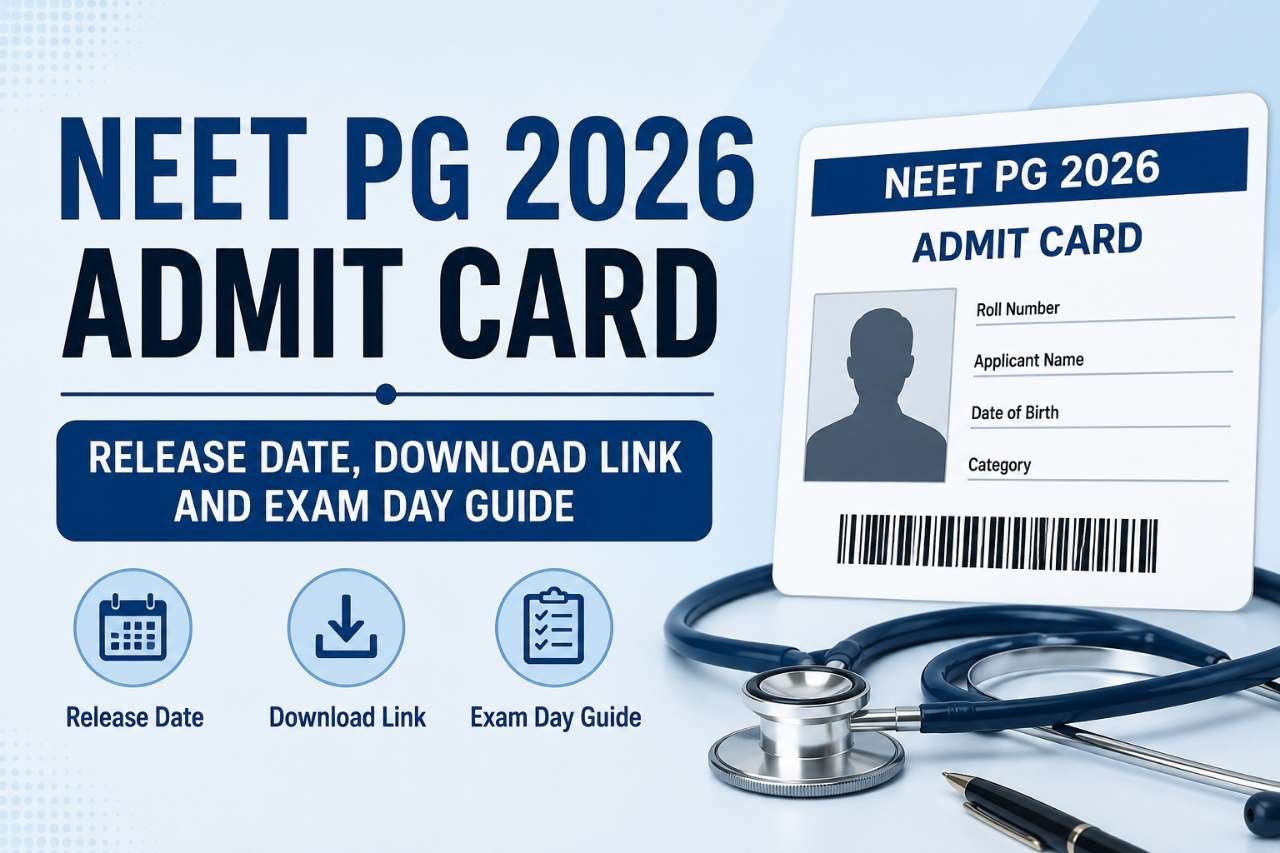
Why the Admit Card Is More Than Just a Piece of Paper
Every year, millions of candidates across India prepare for competitive examinations that can shape the trajectory of their careers. Months of study, countless hours of revision, and emotional investment—all of it culminates on a single day. And on that day, there is one document that stands between you and the examination hall: the admit card.
The admit card is not merely a formality. It is your official permission to enter the examination centre, your identification proof, and your roadmap to the exam day. Without it, you will not be allowed to sit for the exam, regardless of how well-prepared you are. Yet, despite its critical importance, many candidates treat the admit card as an afterthought, downloading it at the last minute or failing to verify its details until it is too late.
This comprehensive guide is designed to change that. Whether you are appearing for the UGC NET June 2026 examination or any other major competitive exam, this article will walk you through everything you need to know about the admit card—from downloading it to verifying its contents, from understanding the exam day rules to handling discrepancies. By the end of this guide, you will be fully equipped to navigate the admit card process with confidence and ease.
Part 1: Understanding the Admit Card—What It Is and Why It Matters
What Exactly Is an Admit Card?
An admit card, also known as a hall ticket or admission ticket, is an official document issued by an examination conducting authority that grants a candidate permission to appear for a specific examination. It serves multiple purposes simultaneously: it confirms your registration for the exam, provides essential logistical information about where and when you need to be present, and acts as a verification tool for the examination centre staff.
In the context of Indian competitive examinations, the admit card is typically released by the National Testing Agency (NTA), the University Grants Commission (UGC), or other respective examination bodies. For the UGC NET examination—one of the most prominent tests for determining eligibility for Assistant Professor and Junior Research Fellowship positions—the admit card is released on the official website ugcnet.nta.nic.in.
Why the Admit Card Is Non-Negotiable
The importance of the admit card cannot be overstated. Here is why:
Entry Without It Is Impossible: No candidate will be permitted to enter the examination hall without a valid admit card. Digital copies on mobile phones are generally not accepted; a printed hard copy is mandatory.
It Contains Critical Information: The admit card includes your roll number, exam date, shift timing, reporting time, and the exact address of your examination centre. Without this information, you would not know where or when to appear.
It Serves as Identity Verification: The admit card bears your photograph and signature, which are cross-verified against your ID proof at the examination centre. Any mismatch can lead to complications.
It Includes Exam Day Instructions: The admit card carries important instructions regarding what you can and cannot bring to the examination centre, the reporting time, and other guidelines that must be followed.
Admit Card vs. City Intimation Slip: Understanding the Difference
Many candidates confuse the city intimation slip with the admit card. While both are important, they serve different purposes. The city intimation slip is released approximately 8 to 10 days before the examination and informs candidates about the city where their examination centre is located. This allows candidates to make travel and accommodation arrangements in advance.
The admit card, on the other hand, is released closer to the examination date—typically a few days before the exam—and contains the specific examination centre address, along with all other essential details. For the UGC NET June 2026 examination, the city intimation slip was released on June 10, 2026, while the admit card was released on June 17, 2026.
Part 2: UGC NET June 2026—Key Dates and Exam Schedule
Before diving into the admit card process, it is essential to understand the broader examination schedule. The UGC NET June 2026 examination is scheduled to be conducted from June 22 to June 30, 2026, in Computer-Based Test (CBT) mode across various examination centres in India.
Examination Schedule at a Glance
| Event | Date |
|---|---|
| City Intimation Slip Release | June 10, 2026 |
| Admit Card Release | June 17, 2026 |
| Exam Dates | June 22-30, 2026 |
| Exam Mode | Computer-Based Test (CBT) |
| Shift 1 Timing | 09:00 AM to 12:00 PM |
| Shift 2 Timing | 03:00 PM to 06:00 PM |
The examination will cover more than 80 subjects and will be held over multiple days in two shifts. Candidates are advised to carefully check their allotted examination date, subject code, and shift timing once the admit cards are released.
Understanding the Two-Shift System
The UGC NET examination is conducted in two shifts each day:
Morning Shift (Shift 1): The examination timing is 09:00 AM to 12:00 PM. Candidates are typically required to report to the examination centre by 07:20 AM to 08:30 AM for entry formalities, with the gate closing at 08:30 AM.
Afternoon Shift (Shift 2): The examination timing is 03:00 PM to 06:00 PM. Reporting time is generally between 01:45 PM and 02:00 PM, with the gate closing at 02:00 PM.
It is crucial to note that the exact reporting time and gate closing time for your specific examination will be mentioned on your admit card. General schedules published online are not a substitute for the information printed on your individual admit card.
Part 3: How to Download Your Admit Card—Step-by-Step Guide
Downloading the admit card is a straightforward process, but technical glitches, forgotten credentials, or last-minute rushes can turn it into a stressful experience. Follow this step-by-step guide to ensure a smooth download.
Step 1: Visit the Official Website
Navigate to the official UGC NET website: ugcnet.nta.nic.in. Always ensure you are on the official website and not a third-party site that may collect your credentials.
Step 2: Locate the Admit Card Link
On the homepage, look for the link labeled “UGC NET June 2026 Admit Card” or similar. This link is typically prominently displayed in the notifications or latest updates section.
Step 3: Enter Your Login Credentials
You will be redirected to a login window where you need to enter your credentials. Depending on the options available, you can use:
-
Application Number and Password: Your application number is provided during registration, and your password is the one you created.
-
Application Number and Date of Birth: If you have forgotten your password, you can use your application number and date of birth to log in.
You will also need to enter the Security Pin displayed on the screen.
Step 4: Submit and Download
Click the “Submit” or “Login” button. Your admit card will appear on the screen. Carefully review all the details before downloading. Click the download button and save the PDF file to your device.
Step 5: Print Multiple Copies
It is strongly recommended to take at least two printouts of your admit card. Keep one in your bag and one as a backup. Store the PDF on your phone and email it to yourself as an additional precaution.
What If You Cannot Download Your Admit Card?
If you face technical difficulties or cannot download your admit card, do not panic. Contact the NTA helpdesk immediately:
-
Helpline Numbers: 8076535482 and 7703859909
-
Email: ugcnet@nta.ac.in
-
Working Hours: 10:00 AM to 5:30 PM on weekdays
Part 4: Verifying Your Admit Card—What to Check and Why
Once you have downloaded your admit card, the next critical step is verification. Errors on the admit card can lead to serious consequences, including being denied entry to the examination hall. Take a few minutes to carefully verify every detail.
Details to Verify on Your Admit Card
Candidate Information:
-
Candidate’s Name (must match your ID proof exactly)
-
Father’s Name
-
Mother’s Name (if applicable)
-
Gender
-
Date of Birth
-
Category (General, OBC, SC, ST, EWS)
-
PwD/PwBD Status (if applicable)
Examination Details:
-
Roll Number
-
Application Number
-
Subject Name and Code
-
Examination Date
-
Shift Timing
-
Reporting Time
-
Gate Closing Time
-
Examination Centre Name and Address
Visual Elements:
-
Photograph (should match the one uploaded during application)
-
Signature
Why Verification Matters
Errors in any of these details can create problems at the examination centre. For instance, if your name on the admit card does not match your ID proof, you may face unnecessary scrutiny. If the subject code is incorrect, you might be seated for the wrong examination. If the examination centre address is unclear, you could end up at the wrong location.
What to Do If You Find a Discrepancy
If you notice any error or discrepancy in your admit card, contact the NTA immediately. Do not wait until the examination day to raise the issue. Changes must be made at the earliest to avoid last-minute complications.
NTA Helpline:
-
Phone: 8076535482, 7703859909
-
Email: ugcnet@nta.ac.in
-
Working Hours: 10:00 AM to 5:30 PM (weekdays).
Part 5: Documents You Must Carry to the Examination Centre
Your admit card alone is not enough. You must carry a set of supporting documents to the examination centre. Failure to produce any of these can result in denied entry.
Mandatory Documents
1. Printed Admit Card
A printed hard copy of your admit card is mandatory. Digital copies on mobile phones or tablets are not accepted under any circumstances.
2. Valid Photo ID Proof
You must carry one original, valid, and non-expired photo identification document. Acceptable options include:
-
Aadhaar Card with photograph
-
PAN Card
-
Passport
-
Voter ID
-
Driving License
The name on the photo ID must match the name on your admit card. If your name has changed due to marriage or any other reason, carry the relevant supporting document.
3. Passport-Size Photograph
Carry at least one passport-size photograph that matches the one you uploaded during the application process.
4. PwD/PwBD Certificate (If Applicable)
If you are claiming relaxation under the PwD/PwBD category, carry the certificate issued by the competent authority.
5. Self-Declaration Undertaking
NTA may require candidates to carry a self-declaration form as per the instructions on the admit card.
What NOT to Carry
The following items are strictly prohibited inside the examination hall:
-
Mobile phones
-
Smart watches
-
Bluetooth devices
-
Calculators
-
Study material (books, notes, paper)
-
Any electronic gadgets
Additional Recommendations
-
Wear comfortable clothing. Some centres may have specific dress code requirements.
-
Carry a transparent water bottle if permitted by your specific centre (check your admit card for exact rules).
-
Reach the examination centre well before the reporting time to account for traffic and verification queues.
Part 6: Exam Day Guidelines—A Complete Checklist
The examination day can be stressful, but with proper preparation, you can navigate it smoothly. Here is a comprehensive checklist to ensure you are fully prepared.
The Night Before
-
Verify your admit card details one final time
-
Pack your documents: admit card, ID proof, photograph, PwD certificate (if applicable)
-
Check the examination centre location and plan your route
-
Set multiple alarms
-
Get adequate sleep
On the Examination Day
Before Leaving:
-
Dress comfortably and avoid wearing any items that may trigger security concerns
-
Do not carry prohibited items
-
Leave early to account for unexpected delays
At the Examination Centre:
-
Report at the designated reporting time (mentioned on your admit card)
-
Cooperate with security personnel during frisking and identity verification
-
Follow all instructions from centre staff
-
Maintain discipline throughout the examination
Inside the Examination Hall:
-
Follow the instructions printed on your admit card
-
Do not communicate with other candidates
-
Raise your hand if you need assistance from the invigilator
-
Manage your time effectively
After the Examination
-
Keep your admit card safe until the results are declared. You may need it for future reference.
-
Do not discuss your answers extensively immediately after the exam if it causes unnecessary stress.
Part 7: Common Issues and How to Resolve Them
Issue 1: Forgotten Password
If you have forgotten your password, use the “Forgot Password” link on the login page. You can also log in using your Application Number and Date of Birth.
Issue 2: Admit Card Not Downloadable
Technical issues can occur, especially during peak download times. Try the following:
-
Refresh the page and try again
-
Clear your browser cache and cookies
-
Try a different browser
-
Try accessing the website during off-peak hours
-
Contact NTA helpline if the issue persists
Issue 3: Discrepancy in Details
If you find errors in your name, photograph, signature, or examination details, contact NTA immediately. Do not attempt to correct the document yourself.
Issue 4: Lost Admit Card
If you lose your admit card before the examination, you can download another copy from the official website as long as the download link is active. Always keep a digital copy saved on your device and email as a backup.
Issue 5: Unable to Locate Examination Centre
If you are unable to find the examination centre on the day of the exam, contact the NTA helpline or local authorities. It is advisable to visit the examination centre a day before the exam to familiarize yourself with the location.
Part 8: Beyond UGC NET—The Admit Card Across Different Examinations
While this guide has focused primarily on the UGC NET examination, the admit card system is common across various competitive examinations in India. Understanding the general principles can help you navigate any examination.
Common Elements Across Examinations
Most Indian competitive examinations, including those conducted by NTA, UPSC, SSC, and various state boards, follow a similar admit card system:
-
Online Release: Admit cards are released online and must be downloaded by candidates
-
Login Credentials: Access requires application number and either password or date of birth
-
Mandatory Printing: A printed copy is required for entry
-
ID Verification: Valid photo ID must accompany the admit card
-
Exam Day Instructions: The admit card contains specific instructions for that examination
Differences to Watch For
While the general process is similar, specific details may vary:
-
Release Timing: Some examinations release admit cards weeks in advance, while others release them just days before
-
Document Requirements: The specific ID proofs accepted may vary
-
Exam Day Rules: Prohibited items and dress codes may differ
-
Helpline Details: Contact information for each examination body is different
Always read the official notification and instructions for your specific examination carefully.
Part 9: The Digital Future of Admit Cards
The admit card system is evolving. While printed copies remain mandatory for most examinations, discussions about digital verification systems are ongoing. Some examinations have experimented with QR code-based verification and digital identity systems.
However, for now, the printed admit card remains the standard. Candidates should not assume that digital copies will be accepted, even if they see discussions about digital transformation. Always follow the official instructions provided by the examination authority.
Part 10: Frequently Asked Questions (FAQs)
Q1: When was the UGC NET June 2026 admit card released?
The UGC NET June 2026 admit card was released on June 17, 2026, on the official NTA website ugcnet.nta.nic.in.
Q2: What are the login credentials required to download the admit card?
You can download the admit card using your Application Number and Password, or Application Number and Date of Birth, along with the Security Pin.
Q3: Is a digital copy of the admit card accepted at the examination centre?
No. A printed hard copy of the admit card is mandatory. Digital copies on mobile phones or other devices are generally not accepted.
Q4: What documents must I carry along with the admit card?
You must carry a printed admit card, a valid original photo ID proof (Aadhaar, PAN, Passport, Voter ID, or Driving License), a passport-size photograph, and a PwD certificate if applicable.
Q5: What should I do if there is an error on my admit card?
Contact the NTA helpline immediately at 8076535482 or 7703859909, or email ugcnet@nta.ac.in. Do not wait until the examination day to report discrepancies.
Q6: Can I carry a mobile phone to the examination centre?
No. Mobile phones, smart watches, Bluetooth devices, calculators, and any other electronic gadgets are strictly prohibited inside the examination hall.
Q7: What is the reporting time for the examination?
Reporting time varies by shift. For the morning shift, candidates typically need to report by 07:20 AM to 08:30 AM. For the afternoon shift, the reporting time is around 01:45 PM to 02:00 PM. The exact reporting time for your examination will be mentioned on your admit card.
Q8: Can I choose my examination date and shift?
No. The examination date, shift, and centre are allotted by NTA based on your preferences and availability. Candidates cannot choose their specific date or shift.
Q9: What happens if I lose my admit card before the examination?
You can download another copy from the official website if the download link is still active. Always keep a digital backup of your admit card.
Q10: How long should I keep my admit card after the examination?
It is advisable to keep your admit card safe until the results are declared and the admission process is complete. You may need it for future reference.
Part 11: Expert Tips for a Stress-Free Admit Card Experience
Tip 1: Download Early
Do not wait until the last day to download your admit card. Download it as soon as the link is activated to avoid technical glitches and last-minute panic.
Tip 2: Verify Immediately
Check all details on your admit card as soon as you download it. If you find any error, you will have time to get it corrected.
Tip 3: Keep Multiple Copies
Print at least two copies of your admit card. Keep one in your bag and one in a safe place at home. Save a digital copy on your phone and email.
Tip 4: Plan Your Travel
Once you know your examination centre, plan your travel route in advance. Consider visiting the centre a day before the exam to familiarize yourself with the location.
Tip 5: Read the Instructions
The admit card contains important instructions specific to your examination. Read them carefully and follow them strictly.
Tip 6: Stay Updated
Keep checking the official website for any updates or changes. Examination schedules can sometimes change, and it is your responsibility to stay informed.
Conclusion: Your Admit Card, Your Gateway to Success
The admit card is more than a document—it is the culmination of your preparation, the key to the examination hall, and the first step toward achieving your goals. By treating the admit card process with the seriousness it deserves, you ensure that nothing stands between you and your opportunity to succeed.
Remember the key takeaways from this guide:
-
Download your admit card as soon as it is available
-
Verify every detail carefully
-
Carry all required documents to the examination centre
-
Follow all exam day guidelines
-
Contact NTA immediately if you face any issues
The UGC NET June 2026 examination is an important milestone for thousands of candidates aspiring to become Assistant Professors or Junior Research Fellows. Your preparation has brought you this far. The admit card is your ticket to the final stage. Handle it with care, and walk into the examination hall with confidence.
Image Prompt 9: A motivational image showing a candidate walking confidently toward an examination centre, holding an admit card. The sun is rising in the background, symbolizing new opportunities. Text overlay: “Your Preparation. Your Admit Card. Your Success.” Inspirational, warm lighting, photorealistic style.
Additional Resources
For the latest updates and official information regarding the UGC NET examination, visit the official website at ugcnet.nta.nic.in.
For candidates seeking detailed information about the examination pattern, syllabus, and preparation strategies, refer to the official UGC NET information bulletin.
For any queries or assistance, contact the NTA helpdesk:
-
Phone: 8076535482, 7703859909
-
Email: ugcnet@nta.ac.in
-
Working Hours: 10:00 AM to 5:30 PM (weekdays)